Building a Terminal Tiling Engine in Rust
Building ratatui-hypertile, a Hyprland-style BSP layout engine for Ratatui, and why I split layout and chrome into two crates.
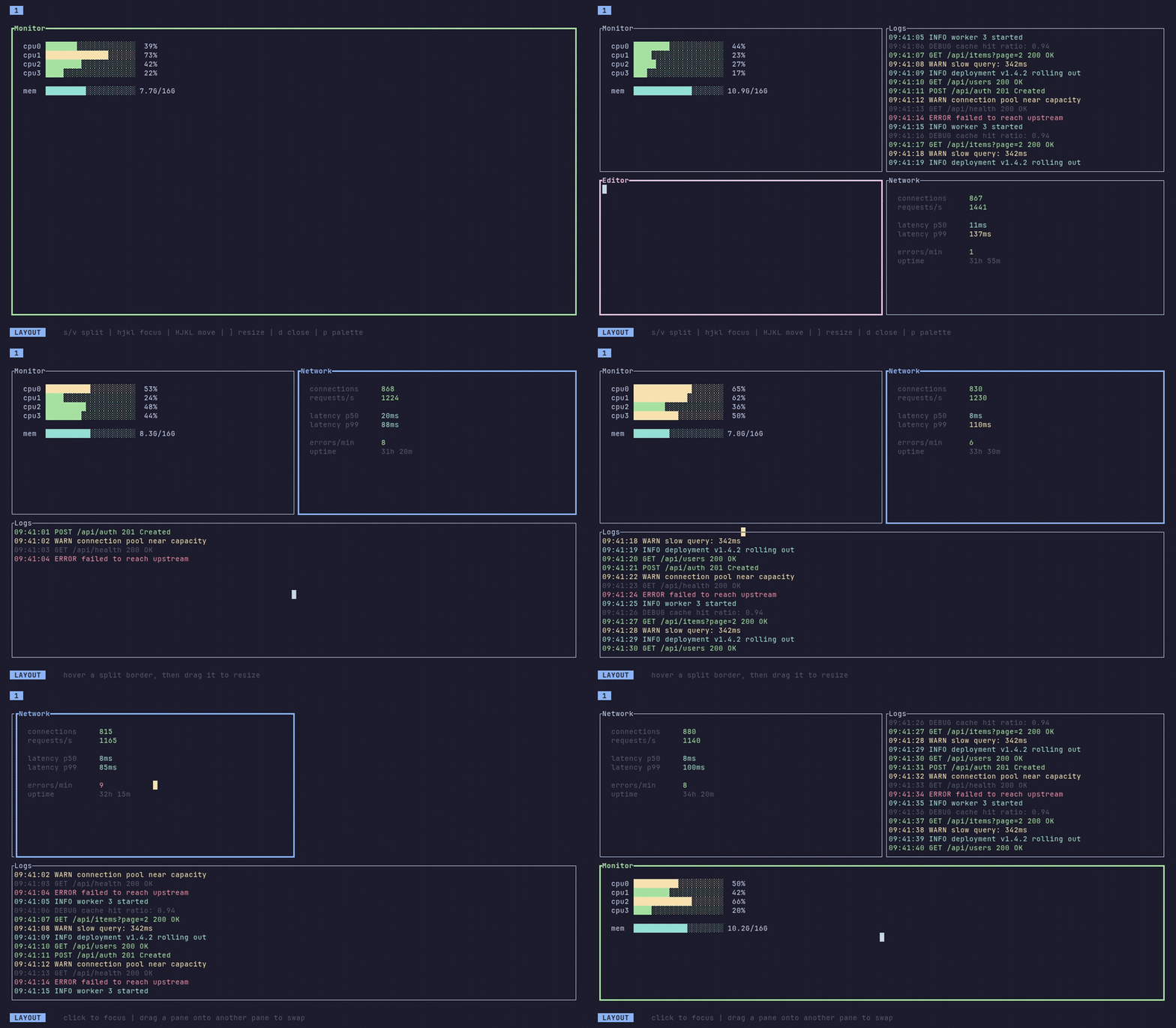
Ratatui is great for drawing to a terminal. It is not a window manager. You get Layout::split, a couple of directions, and that is mostly it. Fine for dashboards. Less fine if you want panes that split, focus, resize, and move around like in Hyprland.
I wanted that inside one Ratatui app. Tile panes, move focus, drag borders, swap windows. That is ratatui-hypertile.
Not another multiplexer
People often ask why not just use tmux or Zellij. Those tile whole processes. Hypertile tiles regions inside one app. You still draw each pane yourself. The engine only tracks the tree, focus, and rectangles. You can run a hypertile app inside tmux and both do their own job.
The engine is a BSP tree
The layout is a binary space partition. Leaves are panes. Internal nodes are splits with a direction and a ratio. Split the focused pane and a leaf becomes a split with two children. Close a pane and its sibling takes the parent’s place. Same idea as other tiling WMs, and it fits Ratatui’s Rect model well.
Layout is lazy. Call compute_layout(area) when the tree or terminal size changes. Rectangles stay cached after that. Focus, hit-testing, and moves all use that cache:
use ratatui::layout::{Direction, Rect};
use ratatui_hypertile::Hypertile;

let mut layout = Hypertile::new();
layout.split_focused(Direction::Horizontal)?;
layout.compute_layout(Rect::new(0, 0, 80, 24));

for pane in layout.panes_iter() {
    draw_pane(pane.rect, pane.is_focused);
}
The engine never draws. It gives you PaneSnapshots (id, rect, focus) and you render whatever goes in each cell.
Actions instead of keycodes
If a library owns your keybindings, you will fight it later. Hypertile uses a small set of actions instead: FocusNext, SplitFocused, ResizeFocused, MoveFocused, and so on. You map keys or mouse input yourself, then call apply_action. You get back Consumed or Ignored, so your app loop stays in control.
Resize step, gaps, and split policy (equal or golden ratio) are builder options. Golden ratio is a small touch, but nested splits feel less rigid with it.
Two crates on purpose
One crate for both the engine and a full TUI shell would mean everyone also pulls in vim keys, a command palette, workspace tabs, and animations. So I split it:
ratatui-hypertile: layout only. Tree, focus, resize, move, hit-testing. No rendering or input opinions.ratatui-hypertile-extras: plugins, keymaps, palette, tabs, animations. ImplementHypertilePluginand you get a working shell.
Want full control? Use the core. Want to try it quickly? Run the extras example and go from there.
What I learned
The BSP part was not the hard part. The useful bit was the boundary: compute rectangles in one place, let the app own drawing and keybindings. Once that was clear, the API felt more like a normal Ratatui layout tool and less like a framework fighting you.
The crate has a few hundred GitHub stars and a crates.io release, so other people clearly wanted this too. If your terminal app has outgrown static splits, that is what hypertile is for.